


- 01 Sep, 2025
- Product Use
- Technical
- By Sudo
What is Roon?
Roon is a locally deployed music management system consisting of a server (which stores and manages your music files) and a client (a phone app that configures the server and acts as a remote control). It works with Roon Ready playback devices (such as speakers and DACs). See the Roon website for details.
Shudou supports Roon Server
The Shudou PD5 and PD3 product lines run on a standard x86 platform with high-performance Intel CPUs and integrated Intel UHD Graphics, paired with the Debian 12 operating system. They fully meet Roon’s resource requirements.
Refer to Roon’s official Linux manual installation guide. The steps are as follows:
-
Use the admin account to SSH into the Shudou host.
-
Install the dependencies:
sudo apt-get update && sudo apt-get install libicu-dev -
Download the Roon Server installer:
wget https://download.roonlabs.com/builds/RoonServer_linuxx64.tar.bz2 -
Extract the archive:
tar -xf RoonServer_linuxx64.tar.bz2 -
Enter the extracted directory. The main entry point is
start.sh:cd RoonServer -
Start RoonServer:
sudo ROON_DATAROOT=/var/roon ./start.sh -
RoonServer is now running and waiting for clients to connect.
Install Roon Remote on your phone
Roon Remote is the phone-side control app used to manage Roon Server and control music playback. Download link: RoonMobile.apk.
After installation, open the app. You should see the Roon Server you just started — the server and the phone must be on the same LAN.
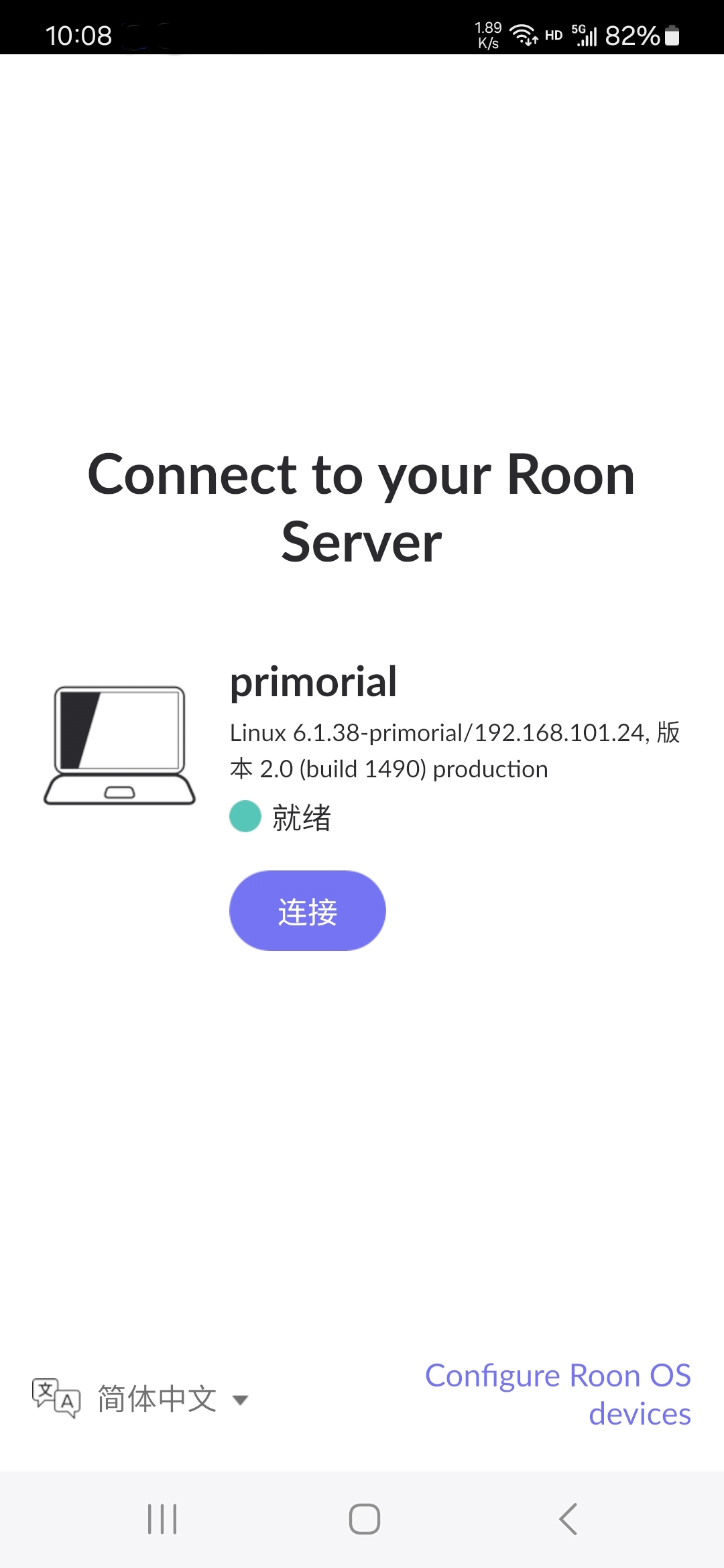
Roon is a paid service. Please sign in to your account before use.
If you encounter any issues during installation or use, feel free to post on the Shudou forum or contact our online support through the Shudou online store.