


- 18 Jan, 2025
- Technical
- By Sudo
A LiveCD image is an operating system that can be booted and run directly, without needing to install it on the host machine’s hard drive.
The Shudou LiveCD image is built on Debian 12. After burning it to a USB drive, you can boot directly into the Debian 12 desktop environment. It also includes a Shudou-specific boot repair tool that can be used to automatically recover a host that won’t start normally.
Resources
- Shudou LiveCD image v0.1.2:
Sudo-liveCD-amd64.v0.1.2.iso - Burning tool:
rufus-4.2.exe
Create a bootable USB drive
-
Prepare an empty USB drive of at least 2GB and a Windows PC.
-
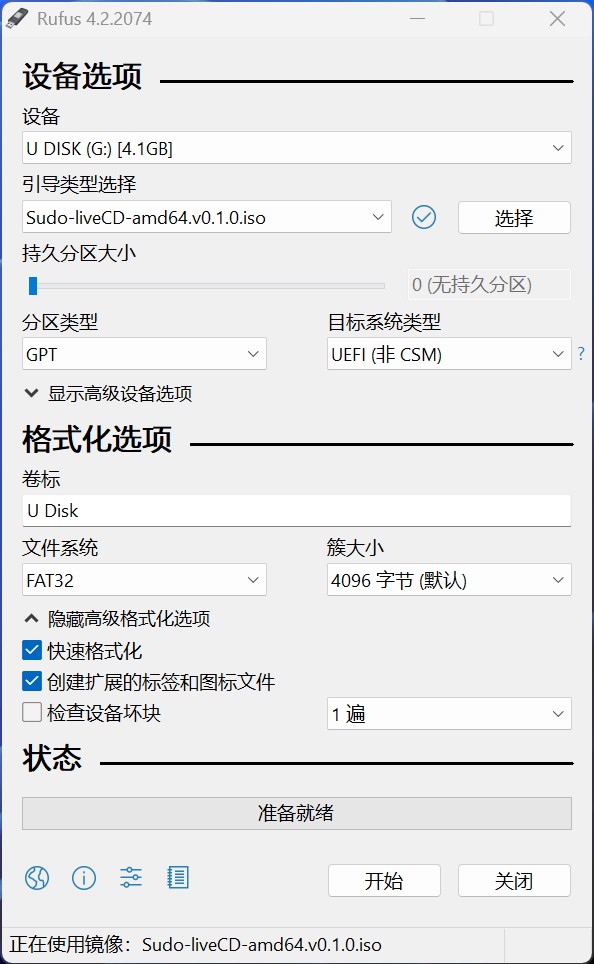
Launch Rufus on the Windows PC and load the ISO file as the boot type. Select the USB drive in the device list, choose GPT for the partition type, leave the file system as FAT32, and click “Start” to burn. Eject the USB drive when finished.
-
Plug the bootable USB drive into the Shudou host and connect a mouse and keyboard.
Boot the Shudou host from the USB drive
-
Start or restart the Shudou host and enter the boot selection screen:
- Shudou PD5: press F2 or the down arrow key to enter Boot Manager, select the USB drive, and press Enter.
- Shudou PD3: press F7 to bring up the boot menu, select the USB drive, and press Enter.
-
After a moment, you’ll reach the LiveCD boot screen. The default highlighted option is
Live system (amd64). Just press Enter.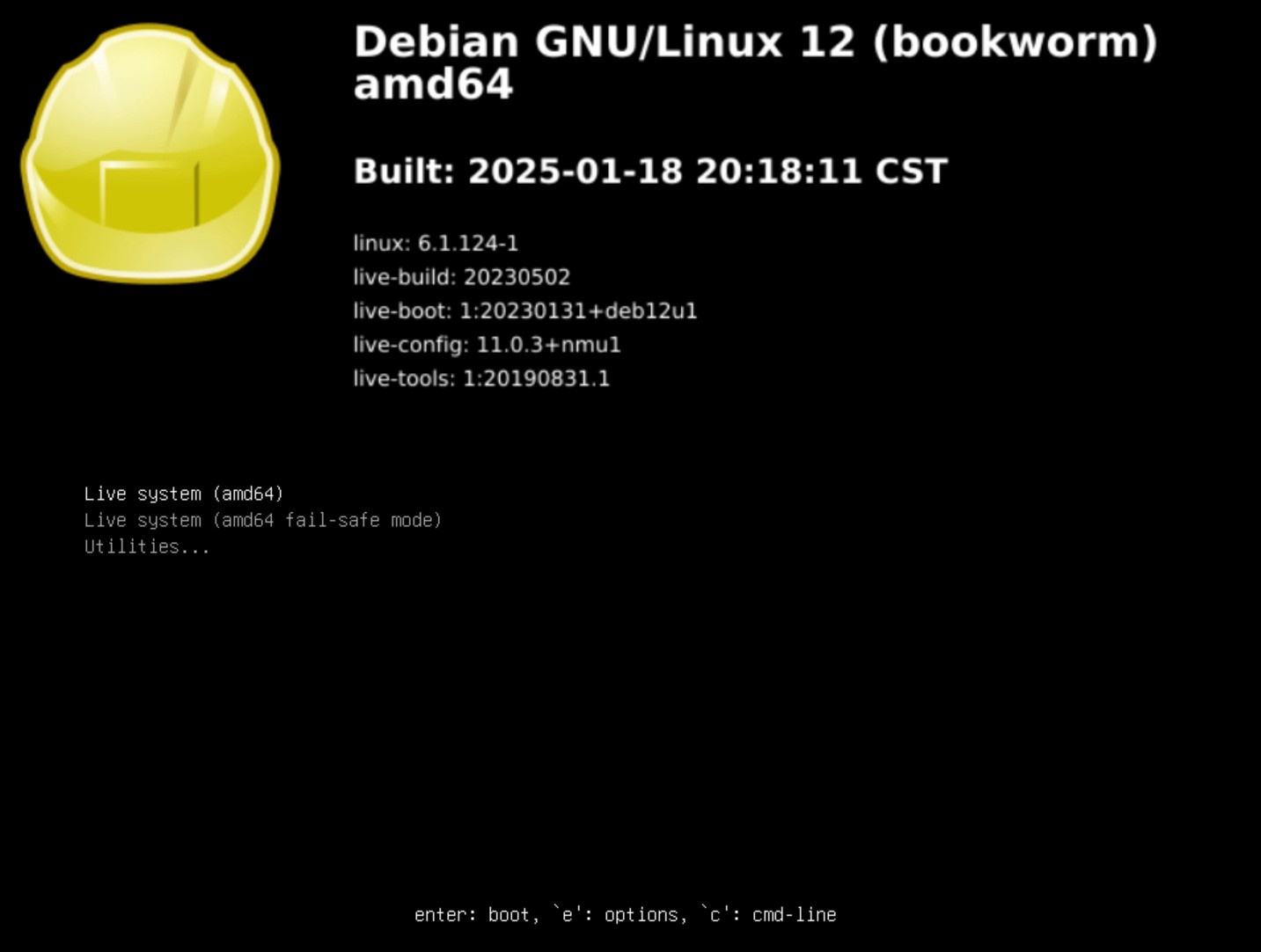
Run the Shudou repair tool
-
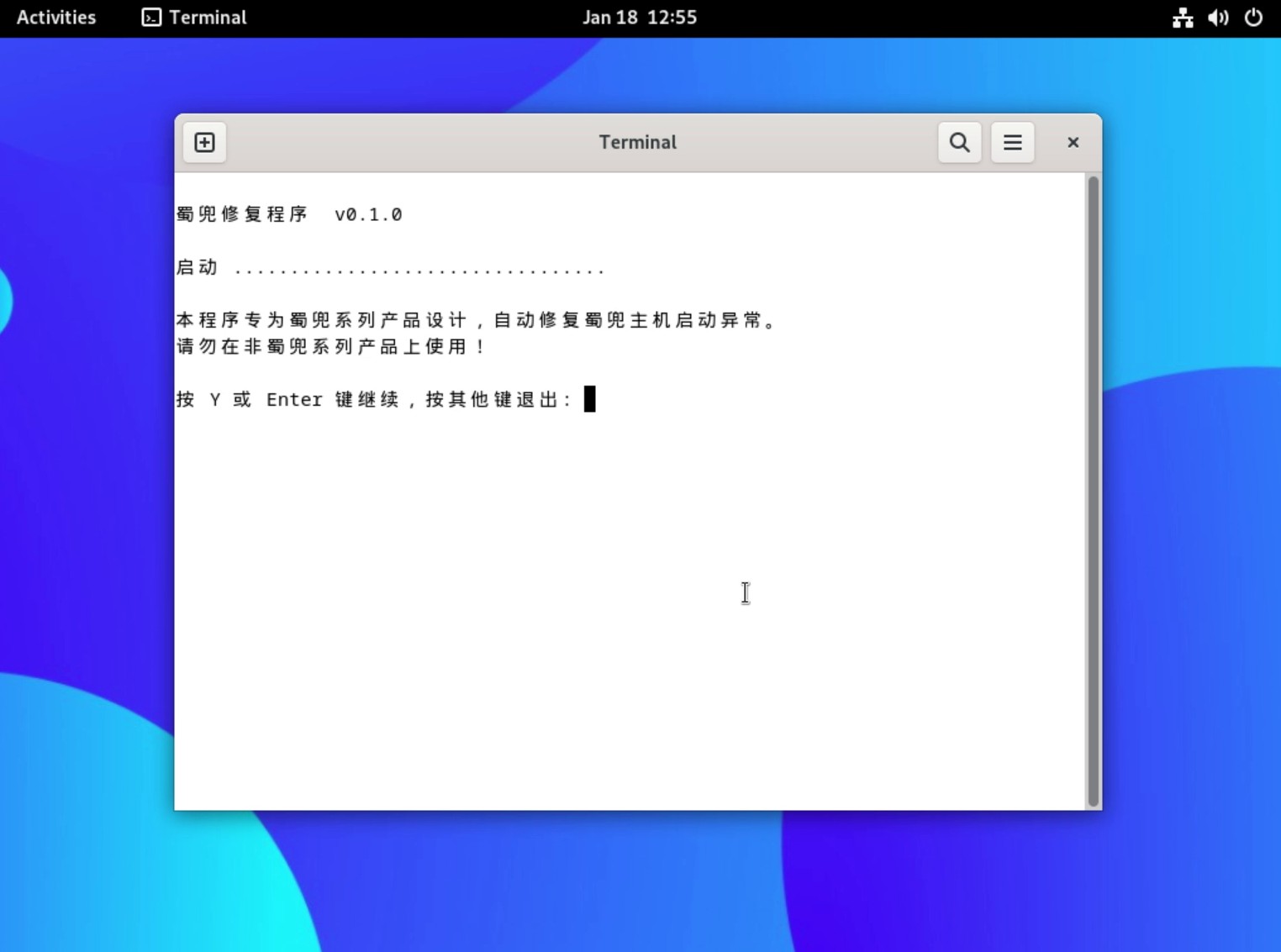
Wait for the system to enter the Debian desktop environment automatically. You’ll see the Shudou repair tool icon in the top-left. If the taskbar is hidden, click the
Activitiesarea in the top-left to bring it up. -
Double-click the Shudou repair tool icon to launch it and follow the on-screen prompts.
-
When the repair is finished, remove the USB drive and restart the host. The Shudou host should now boot normally.
The repair tool only restores the Shudou host’s boot and system configuration. It does not erase personal data under
/home. If you run into any issues during the repair, feel free to post on the Shudou forum.